Introduction
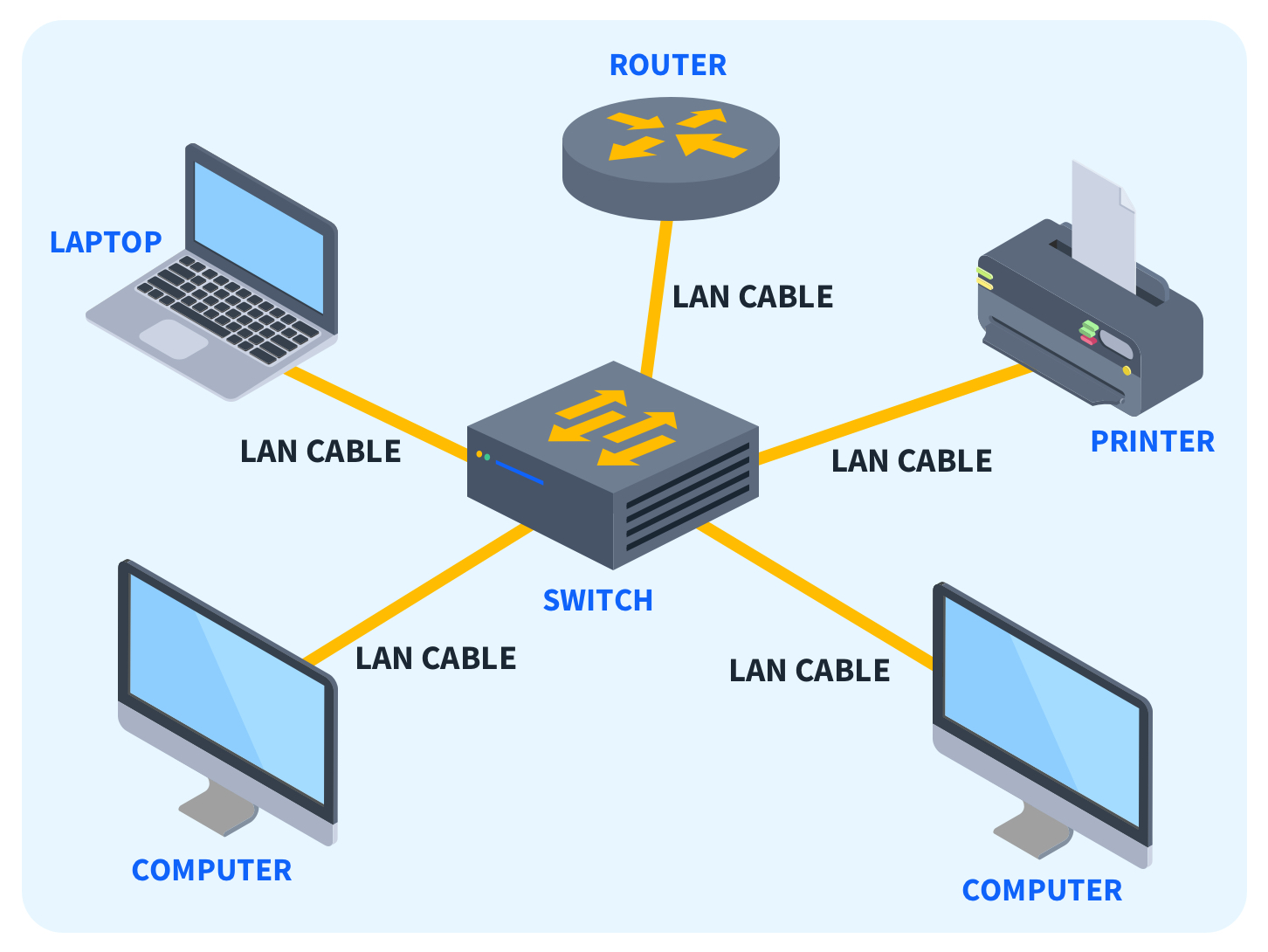
An ethernet connection keeps cutting out primarily due to physical layer degradation, impedance mismatches, or electromagnetic interference affecting twisted-pair data transmission lines. According to the Institute of Electrical and Electronics Engineers (IEEE) networking standards, structured cabling infrastructure must maintain strict attenuation and crosstalk limits to support stable packet delivery over Cat5e, Cat6, or automotive-grade Ethernet physical layers. Technicians evaluating intermittent data drops in structured wiring, industrial automation environments, and advanced vehicle architectures must systematically verify continuity, termination integrity, and shield grounding. Reviewing proper network topologies via Networking and Communication Wiring Diagrams helps isolate physical faults from software configuration errors.
Wiring Technical Snapshot:
- Core Focus: Systematic physical layer diagnosis for ethernet connection keeps cutting out issues in structured wiring and vehicle networks.
- Target Scope: Applied for automotive 100BASE-T1 architectures, industrial control systems, and residential structured cabling.
- Key Recommendation: Always verify physical cable integrity with a dedicated cable certifier before replacing expensive switch gear or gateway modules.
Core Principles and Detailed Overview
Ethernet connection keeps cutting out symptoms stem from breakdowns in physical signal propagation, incorrect wire gauge deployment, or poor insulation displacement connector (IDC) terminations. In both residential structured systems and 12V/24V automotive wiring harnesses, data signals rely on differential signaling across tightly twisted copper pairs to cancel out common-mode electromagnetic noise. When a link flap occurs, the physical layer transceiver detects a loss of carrier signal or excessive symbol errors, forcing an immediate handshake reset. Diagnostic procedures must inspect the physical path for sharp bends exceeding minimum bend radius specifications, crushed conduit runs, or corrosion at RJ45 modular plugs and sealed automotive Deutsch or M12 data connectors. For a deeper understanding of circuit logic and testing, consult the references found in Wiring Diagram Basics.
Key Specifications and Breakdown
| Circuit / Terminal | Standard Wire Color / Gauge | Operational Role & Safety Check |
|---|---|---|
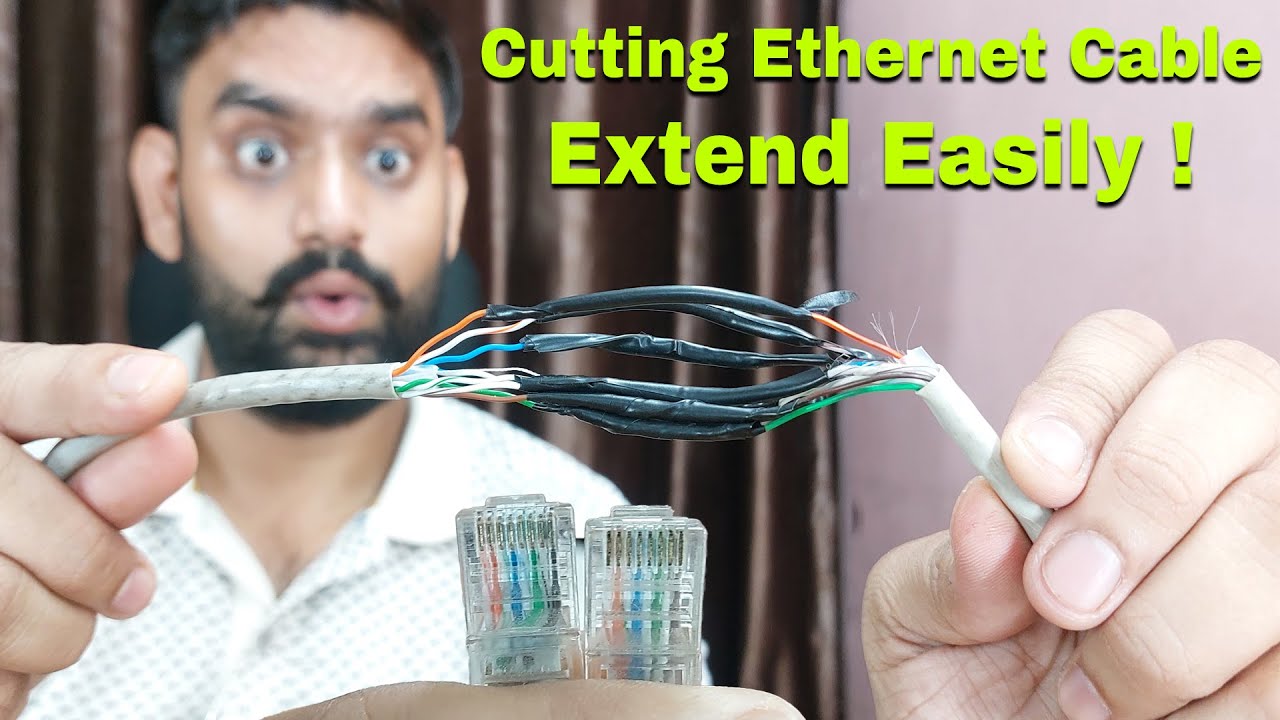
| Data Pair 1 (Transmit/Receive) | White-Orange / Orange, 24 AWG Solid/Stranded | Carries high-frequency differential data signals; verify continuity and resistance balance with a digital multimeter. |
| Data Pair 2 (Bi-Directional) | White-Green / Green, 24 AWG Solid/Stranded | Maintains secondary channel duplex communication; inspect for pin oxidation and loose IDC contact blades. |
| Shield Drain Wire | Bare Copper / Aluminum Foil, 26 AWG | Drains induced high-frequency noise to chassis ground; confirm low-resistance path to prevent ground loops. |
Proper grounding and shielding practices are mandatory to eliminate transient voltage spikes and electromagnetic interference that disrupt high-speed data transmission over twisted-pair copper cabling. — National Fire Protection Association (NFPA 70 / NEC). Related guide: Dimmer Light Switch Double Pole.
Step-by-Step Practical Application and Guidelines
Fixing an ethernet connection keeps cutting out problem requires a rigorous, methodical isolation approach starting at the physical termination point. Begin by inspecting the physical locking tab on the modular connector, as a broken latch causes micro-vibrations that intermittently drop contact pressure against the port pins. Next, use a cable toner and continuity tester to verify that all eight conductors maintain continuous, non-shorted paths without split pairs. When diagnosing vehicle Ethernet or industrial machinery, check power supply ripple and bus voltage stability using an oscilloscope, because voltage sags on active transceiver power lines can reset the physical layer chip. Cross-reference complex harness routing layouts by studying Wiring Troubleshooting guides to ensure data lines avoid high-current inductive loads like ignition coils and compressor motors.
Common Challenges and How to Avoid Them
Ignoring environmental hazards and running unshielded data cables parallel to high-voltage AC lines or 12V DC inductive actuator feeds frequently causes persistent packet loss and link drops. Technicians must avoid exceeding maximum pull-tension thresholds during cable installation, as stretching solid copper conductors alters their characteristic impedance and increases return loss. Furthermore, failing to maintain the twist rate right up to the termination point introduces severe near-end crosstalk (NEXT) that corrupts data packets at high gigabit frequencies. Always secure wire harnesses using appropriate cable ties without crushing the delicate internal geometry of the twisted pairs.
💬 Frequently Asked Questions
Explore More Wiring Diagrams and Schematics on ReadWires
Mastering complex communication networks and electrical troubleshooting requires access to accurate schematics and professional documentation. Continue expanding diagnostic competencies by exploring the extensive library of technical guides, layout schematics, and reference manuals available directly at ReadWires.com.
Visual Reference Gallery